Billing and accounts app for Indian shops
Bills, stock and udhaar, in one diary.
Make a GST bill while the customer waits, see which medicines expire next month, and send payment reminders on WhatsApp. The app keeps working when the internet drops.
Free to start. Works offline. In English, Hinglish, हिन्दी and اردو.
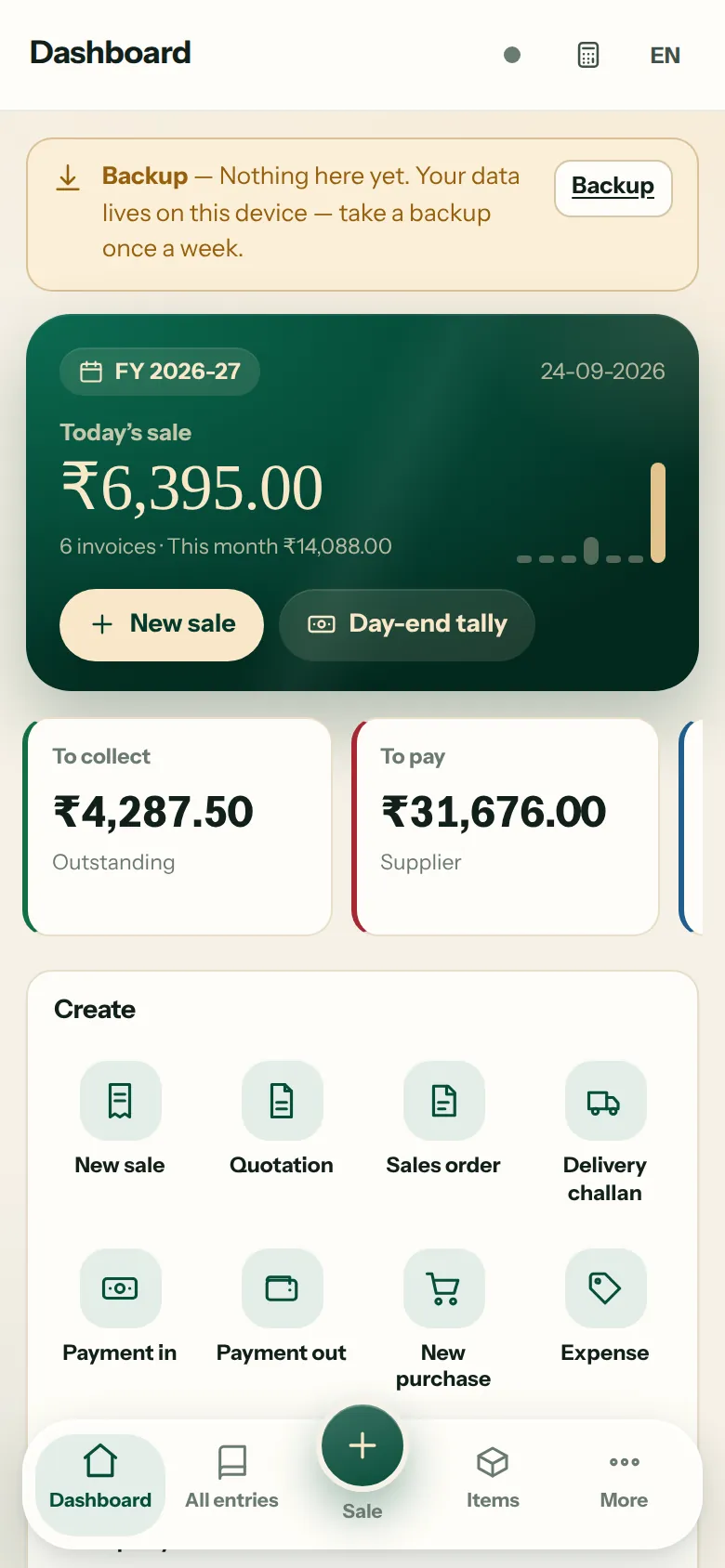
What it does
Built for the counter. Ready for your accountant.
Grocery, medical store or wholesale: the daily work takes two or three taps.
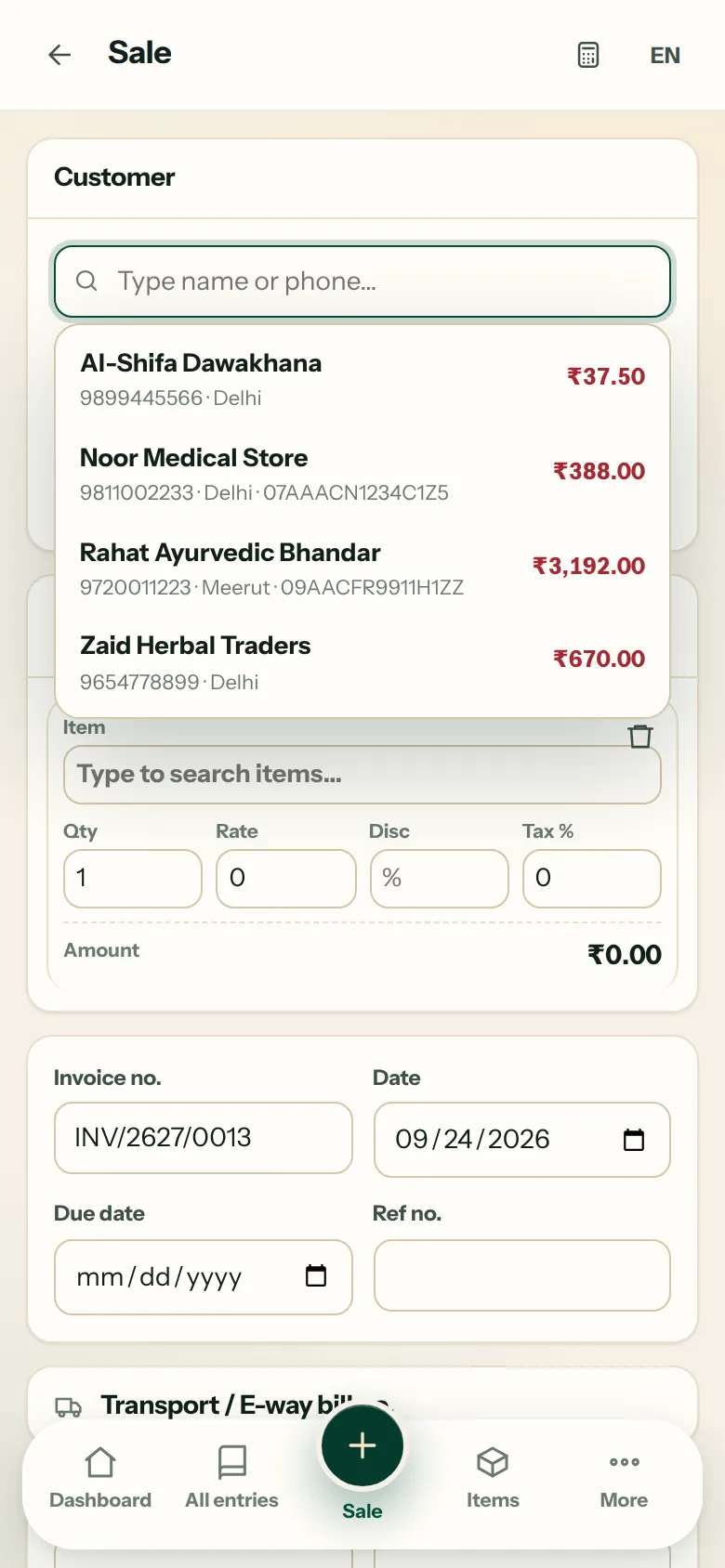
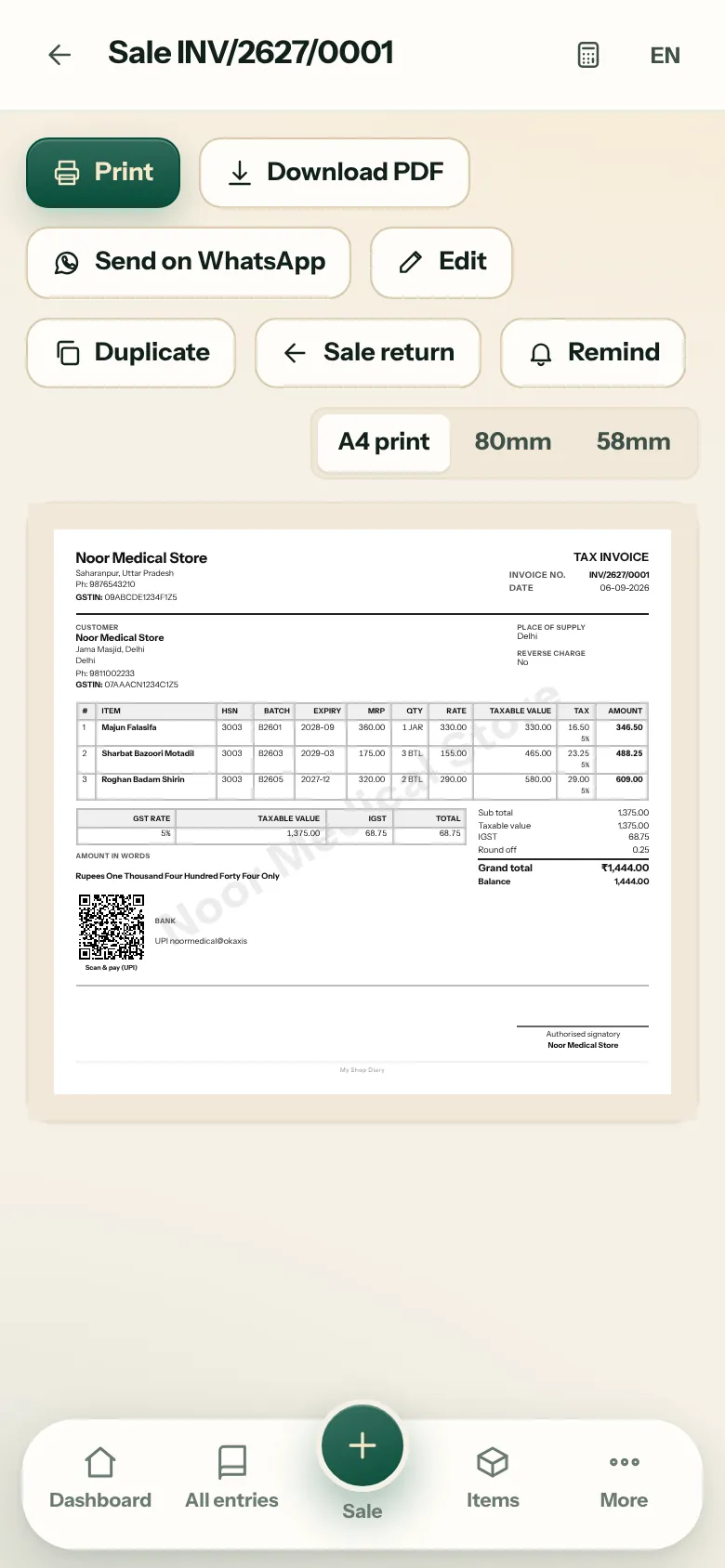
A GST bill while the customer waits
Pick the party, add items by name or barcode, and save. CGST, SGST or IGST, HSN, discount and round-off are worked out for you.
- Paper
- A4, 58 mm and 80 mm thermal
- Sharing
- PDF or image on WhatsApp
- Payment
- UPI QR for the amount due, printed on the bill
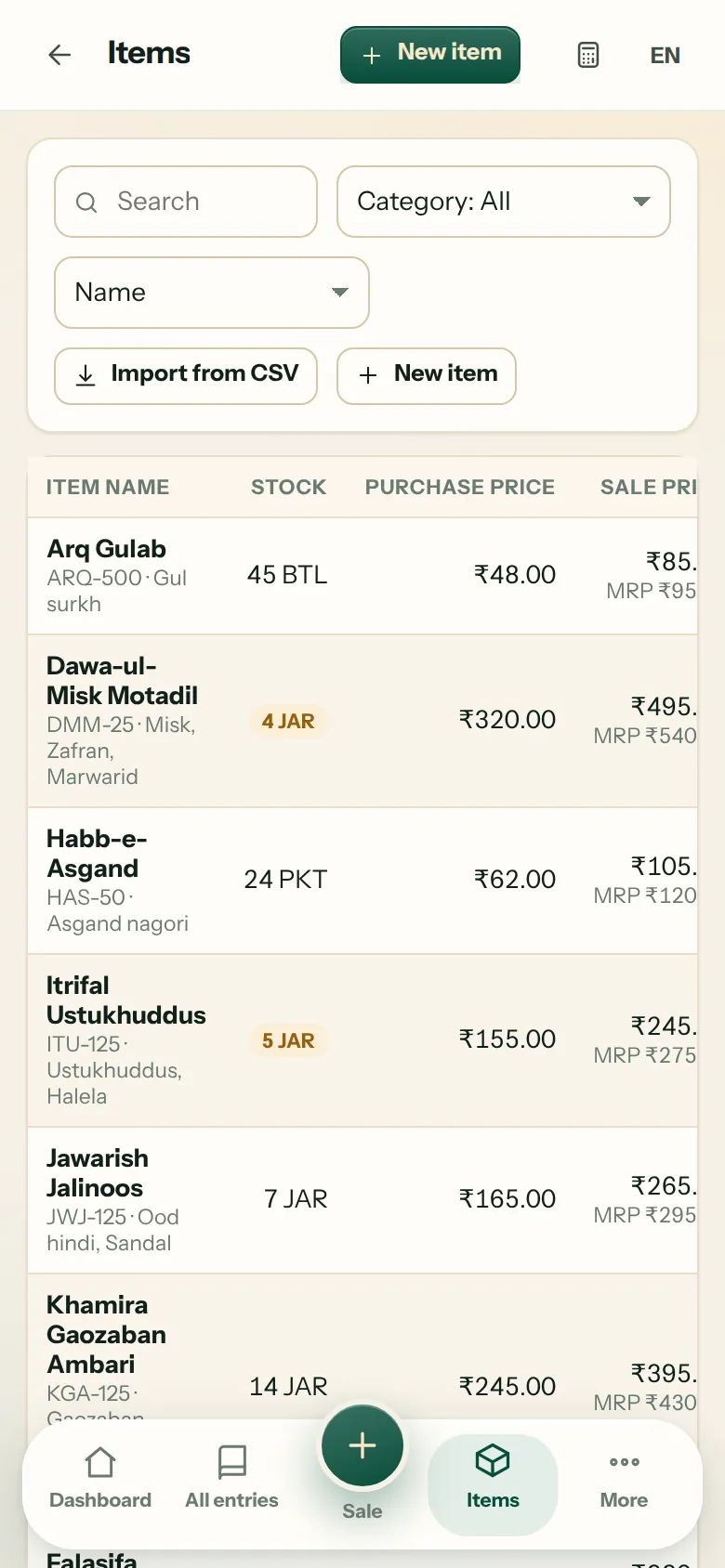
Know what expires before it does
Every batch keeps its own MRP and expiry date. The batch that expires first is sold first, and the app reminds you before stock goes out of date.
Low-stock alerts, rate lists from Excel or CSV, and barcode scanning with the phone camera.
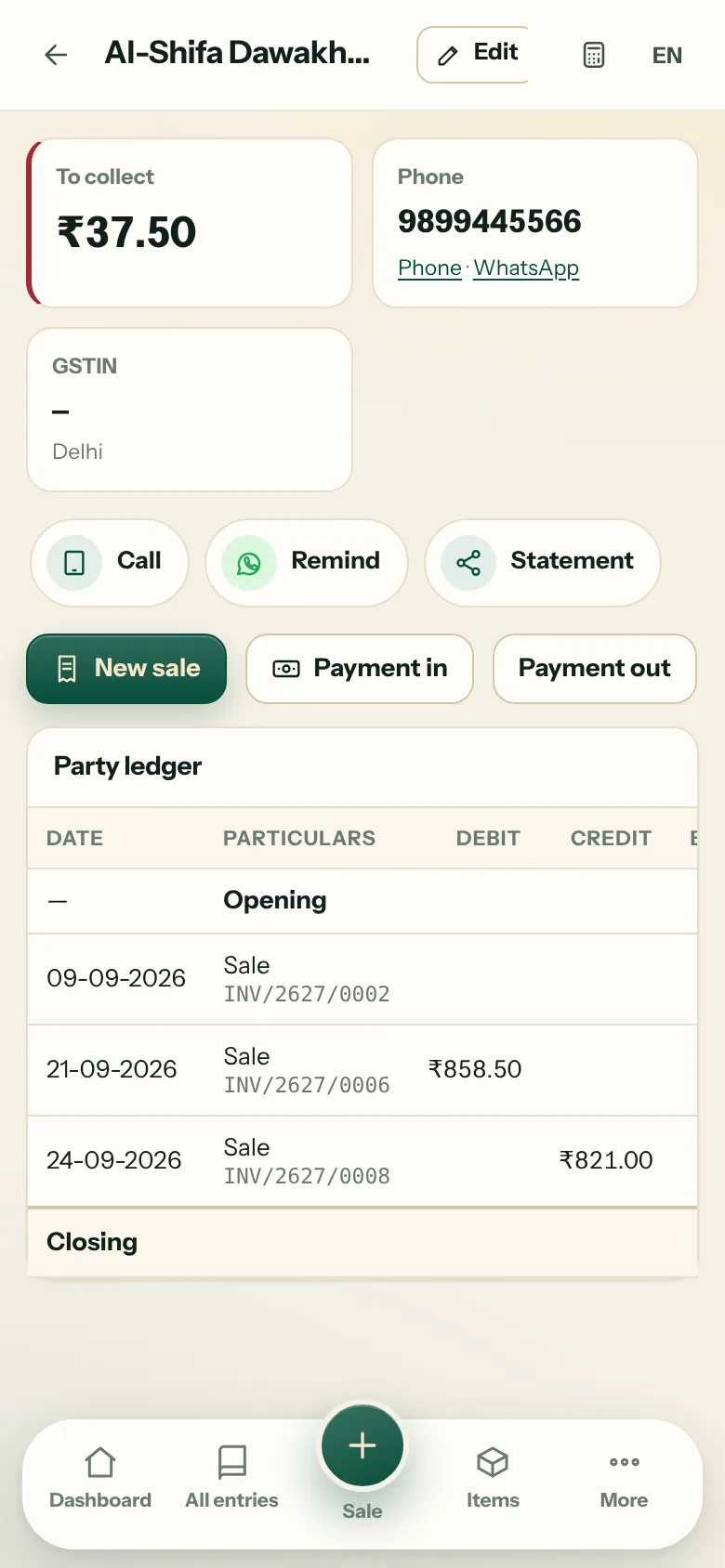
See who owes you, and remind them in one tap
Each customer and supplier has a running ledger. Send a statement, a payment reminder or a UPI payment link on WhatsApp from the same screen.
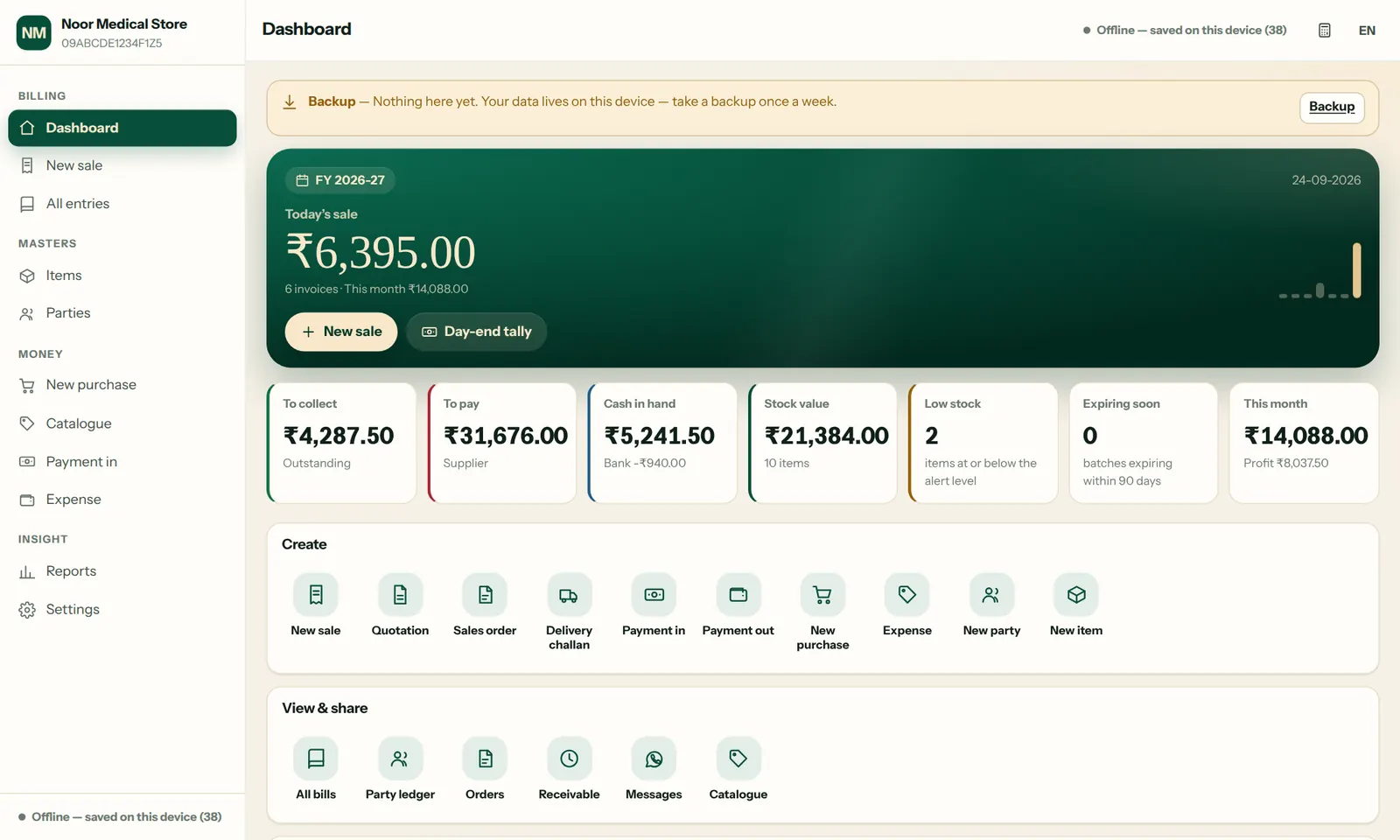
The same books on the counter laptop
Install it from Chrome or Edge on Windows or Mac. Press F2 for a new bill and F9 to save it.
Also in the app
- Quotation to bill
- Turn a quotation, sales order or delivery challan into a bill when the goods go out.
- Purchases and returns
- Purchase bills, sales and purchase returns, credit and debit notes.
- Expenses and day-end cash
- Record expenses and count the cash drawer at closing.
- Reports
- Day book, sales, profit, stock, receivables and payables, in PDF and Excel.
- GST summaries
- GSTR-1, GSTR-3B and HSN summaries to hand to your accountant.
- Clinic mode
- Patient records and visit reminders for hakeems and doctors.
- Staff mode
- Counter staff can make bills while the owner's screens stay locked on that phone.
- Languages
- English, Hinglish, Hindi and Urdu, switchable at any time.
Getting started
Your first bill, today.
Sign in
Use Google, or your email and a 6-digit code. Then add your mobile number.
Name your shop
Shop name, city, and your GSTIN if you have one. A logo and visiting card are made for you.
Make a bill
Add items, save, and send the bill on WhatsApp.
Your data
Your books stay on your phone.
Bills, customers, stock and amounts are saved on the device you use. A small amount of account information reaches our server so that you can sign in. This is the full list.
| Stays on your device | Reaches our server |
|---|---|
|
|
- PIN and fingerprint
- The app locks after 5 wrong PINs and asks again after it has been idle.
- Staff mode
- Staff can bill, while deleting and editing old entries stays with the owner.
- Locked backup file
- Put a password on the backup file and only that password opens it.
- Security log
- Wrong PINs, sign-ins and backups are recorded on the phone.
Pricing
Free to start, simple as you grow.
| Plan | Price | What you get | Action |
|---|---|---|---|
| Basic | ₹0always free | Credit ledger, simple bills on WhatsApp, items, catalogue and backup. Up to 3 transactions and 3 bills a day. | Start free |
| Khata Plan | ₹30a month, first month ₹2 for new customers | Unlimited transactions in the credit ledger and 10 bills a day. | Unlock for ₹2 |
| Advance | ₹99a month, no daily limit | Full GST bills, returns, challans and estimates. Stock, batch and expiry, barcode and purchases. Reports with GSTR-1 and GSTR-3B summaries. | Start Advance |
| Ultra Advance | ₹499a month, or ₹4,999 a year | Everything in Advance, plus CRM for orders and returns, an AI support agent, WhatsApp API templates, journal and trial balance, godowns and multiple users. 7-day free demo |
Start the demo |
| Enterprise | On enquirychains and distributors | Branches and godowns, staff logins and roles, cloud sync, custom reports, data migration and training. | Send an enquiry |
Advance also runs free within the daily limit of 3 transactions and 3 bills. To pay for a plan, use UPI from the Plans screen in the app or message us on WhatsApp; you then get an unlock code for your shop.
Install
Put it on your home screen.
No Play Store needed. Install it from this site and the icon sits on your home screen. After that the app opens without internet.
You are inside the browser of another app, where installing is not possible. Open this page in Chrome
- Android
- Open this site in Chrome and tap Install, or use the menu and choose Install app.
- iPhone
- Open it in Safari, tap Share, then Add to Home Screen.
- Laptop
- Click the install icon at the right end of the Chrome or Edge address bar.
FAQ
Questions shopkeepers ask us.
Is it really free?
Yes. The Basic plan is free for good, with up to 3 transactions and 3 bills a day, and no card is needed. The Khata Plan costs ₹30 a month, Advance ₹99 a month, and Ultra Advance ₹499 a month with a 7-day free demo.
Does it work without internet?
Yes. After the first visit, billing, printing and the ledger work offline. Internet is needed to sign in, to send on WhatsApp, for Cloud sync and for updates.
Where is my data? Can anyone else see it?
On your own phone or laptop. If you switch on Cloud sync or Cloud backup, a copy is kept in our database in Mumbai so that devices you have joined to your shop can read it. Take a backup every week as well.
What if I change my phone?
Save a backup file on the old phone, then open the app on the new phone and go to Settings, Backup, Restore. With Cloud sync on, sign in to the cloud on the new phone and the books come back.
Is it suitable for a medical store?
Yes. Batch, expiry, MRP and drug licence number on the bill, with alerts before stock expires. It works for Unani, Ayurvedic and allopathic stock alike.
What about large companies?
The Enterprise plan covers branches, staff logins, cloud sync and data migration. Send an enquiry.
How do I delete my account?
The steps are here. You can erase the data on your phone yourself, and one message is enough for us to remove what our server holds.
Contact
Need help? Ask us.
Chhutmalpur, Saharanpur, Uttar Pradesh, India 247662
Phone: 9719969828
Email: supportmasihigroup@gmail.com
Chat on WhatsApp